The quotation is built. Now it has to reach someone — and which someone changes what the document should say. A direct guest wants your brand on it. The agent reselling you wants their own brand on it, which means yours has to come off.
The temptation is to keep two documents. Do that and within a month they disagree: a corrected hotel name in one, an updated inclusion in the other, and the version a client is holding is the one nobody fixed.
So it is one document, rendered differently.
The branded version
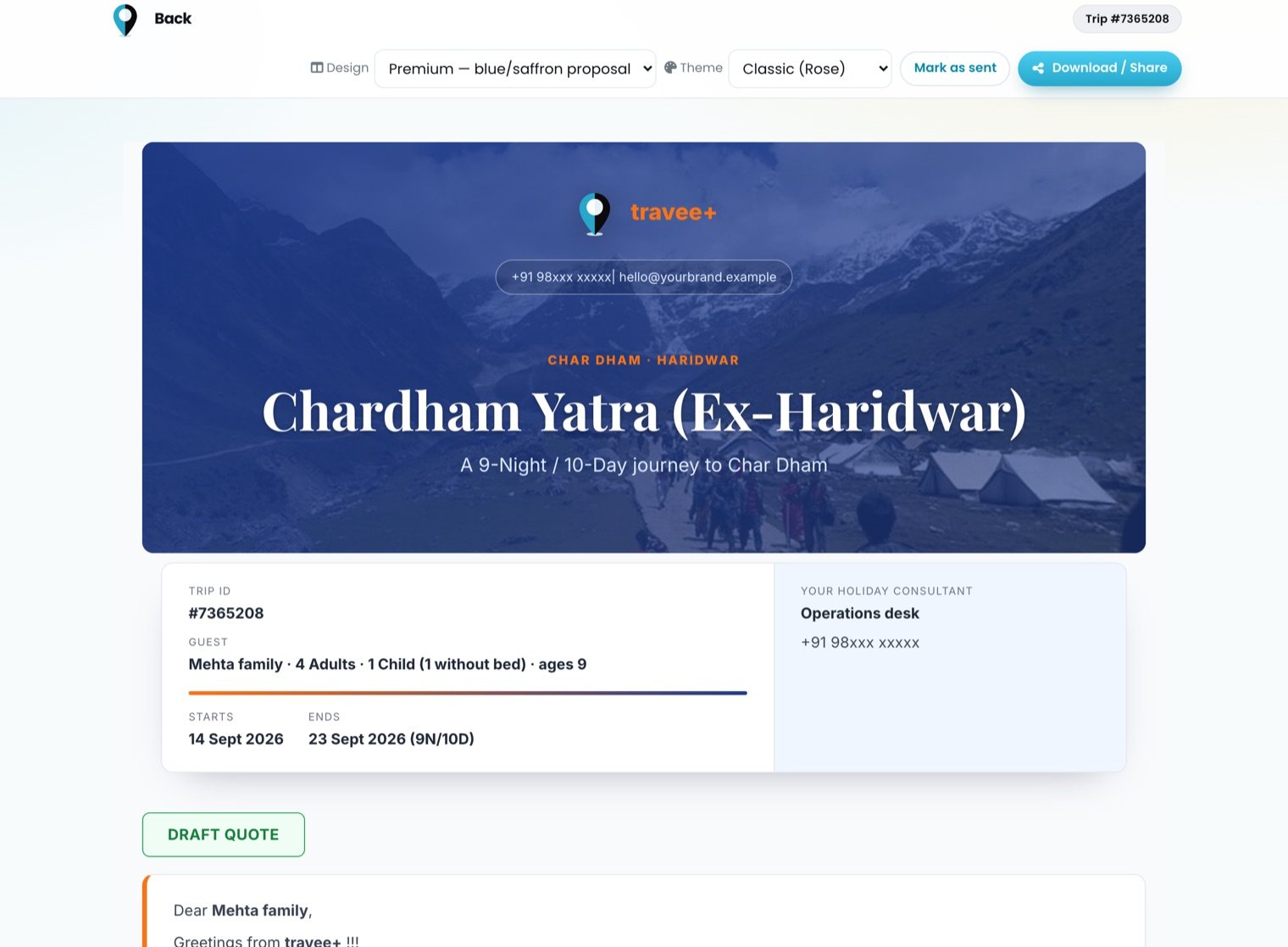
The branded version: your logo, your consultant, your cover.
Your logo, your colours, your consultant's name and number, a cover image and a greeting addressed to the guest. Everything that says who is selling this.
Worth knowing: the branding is stamped onto the quotation when it is saved, not looked up when it is opened. Rebrand next year and a quote you sent last season still opens exactly as the client received it. A document that quietly restyles itself after it was sent is a document you cannot stand behind.
The white-label version
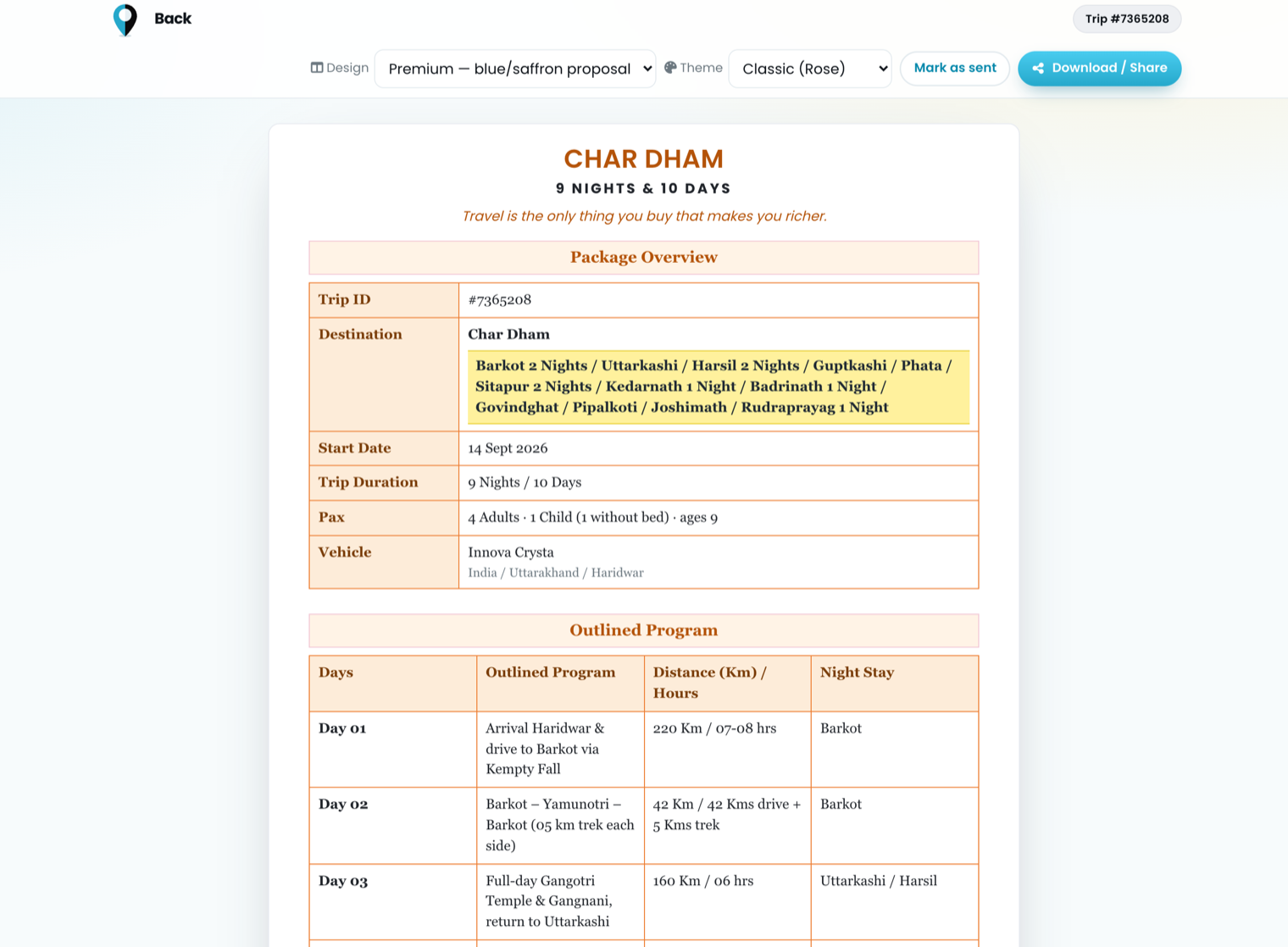
The same quotation, white-labelled: tables, no branding, nothing that identifies the supplier.
Same trip, same total, same itinerary — with the greeting, the consultant footer and the imagery removed, and the content reorganised into the tables a trade buyer actually reads: a Package Overview block and an Outlined Program with day, route, distance/hours and night stay.
This is the version that goes to another agent. They put their own cover on it and send it on. Nothing in it identifies you, and because it is generated from the same quotation, its numbers cannot drift from the branded one.
Four ways out
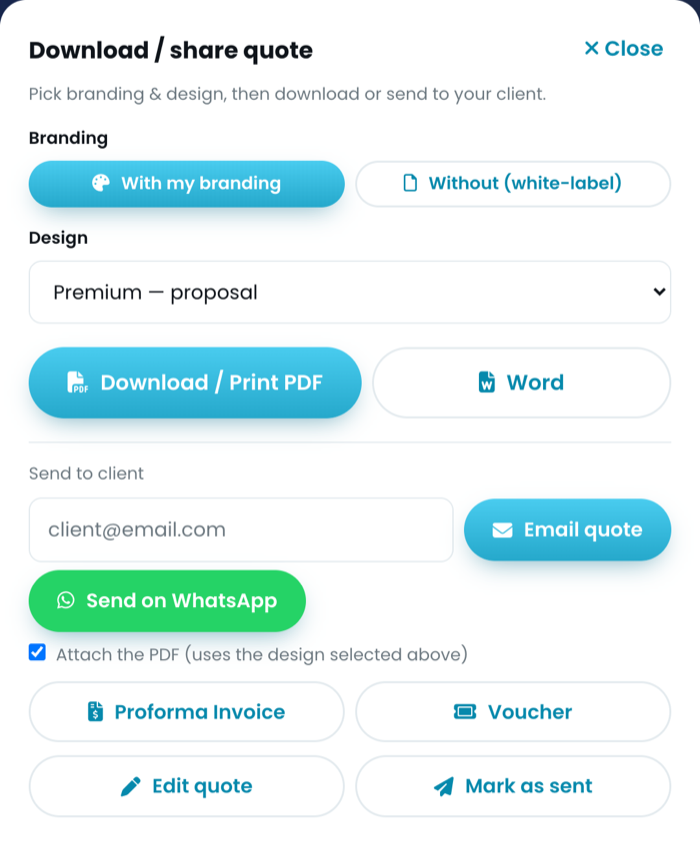
Branding and design first, then the way out. One choice drives all four.
One panel, and the design and branding chosen there apply to whichever you pick:
- PDF — the usual attachment. Six designs and three colour themes, so a pilgrimage itinerary and a corporate offsite do not have to look identical.
- Word — for the client who will edit it, and for the agent who wants to lift your day-by-day into their own template. Better they do that from a clean file than by screenshotting your PDF.
- Email — sends the PDF as an attachment, in the design selected above, and marks the quote as sent. One action instead of download-then-attach-then-forget-to-update-the-status.
- WhatsApp — sends a link, not a file, because WhatsApp's share URL cannot carry an attachment. This is the honest limitation: what your client receives is a message with the trip name, the total and a link to the live document.
The link version has a real advantage. Fix a typo an hour after sending and the link shows the correction; the PDF in someone's inbox never will.
Two extra documents come off the same quotation without a second round of data entry: a proforma invoice and a trip voucher. Neither carries your cost or your margin.
Who can open the link
A quotation link is not public. It opens for you and for the client it was made for, and every document address is an unguessable reference rather than a sequential number — so nobody browses from quote 1041 to quote 1042 to see what you charged someone else.
Anyone opening a quotation who does not own it gets a version with the cost fields stripped out before they are sent: your subtotal, your markup, your per-person cost and the per-stay supplier rates simply are not in the response. Not hidden with CSS — absent.
The short version
- Build the quotation once.
- Choose branded or white-label at the moment you send, not when you build.
- PDF for the file, WhatsApp for the speed, Word for the agent who will edit it, email when you want the status to update itself.
- Never keep a second copy of a document you can regenerate.
Stop rebuilding the same quotation.
One rate card, one branded document, sent in minutes instead of an afternoon.
See what it does