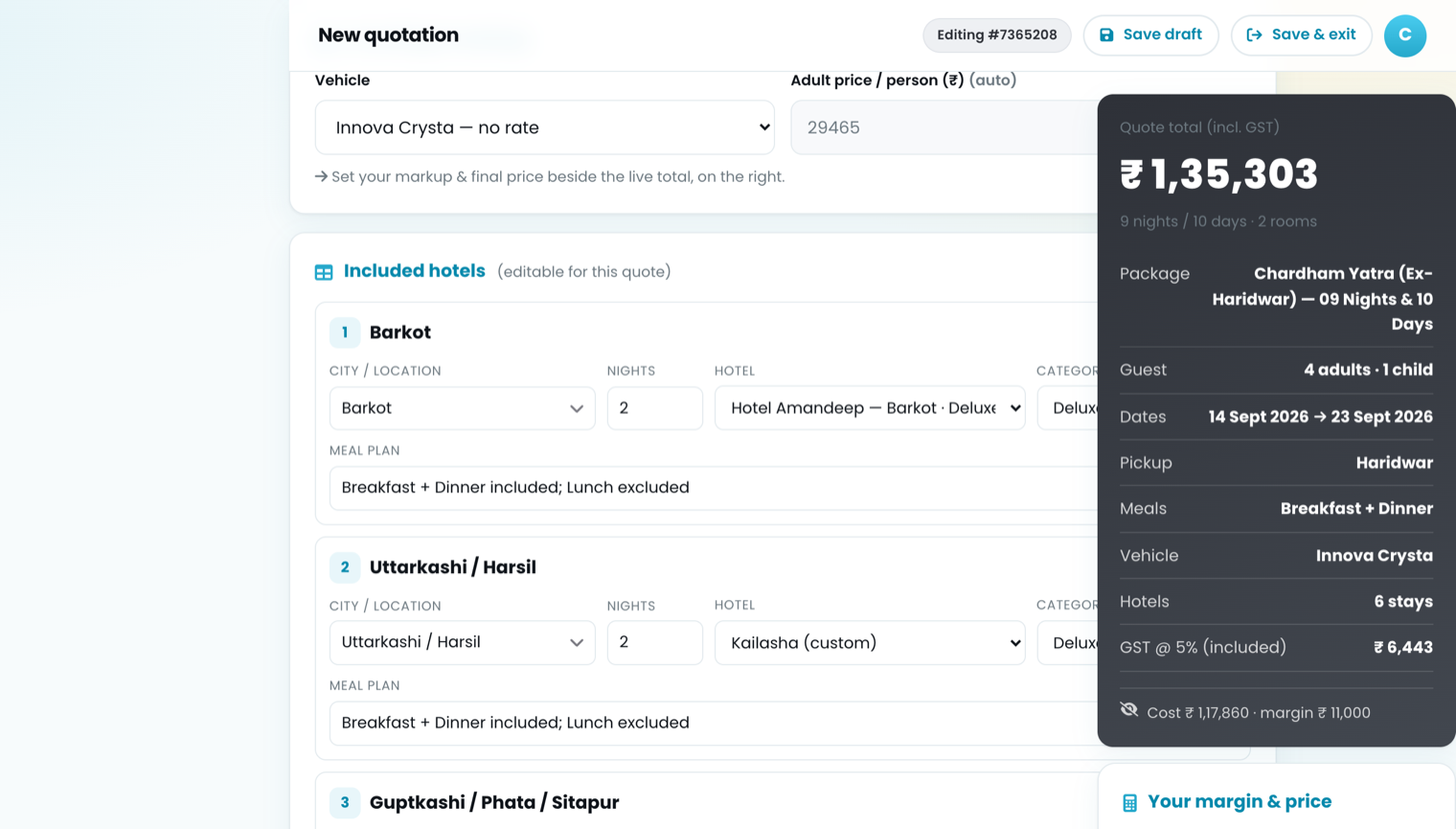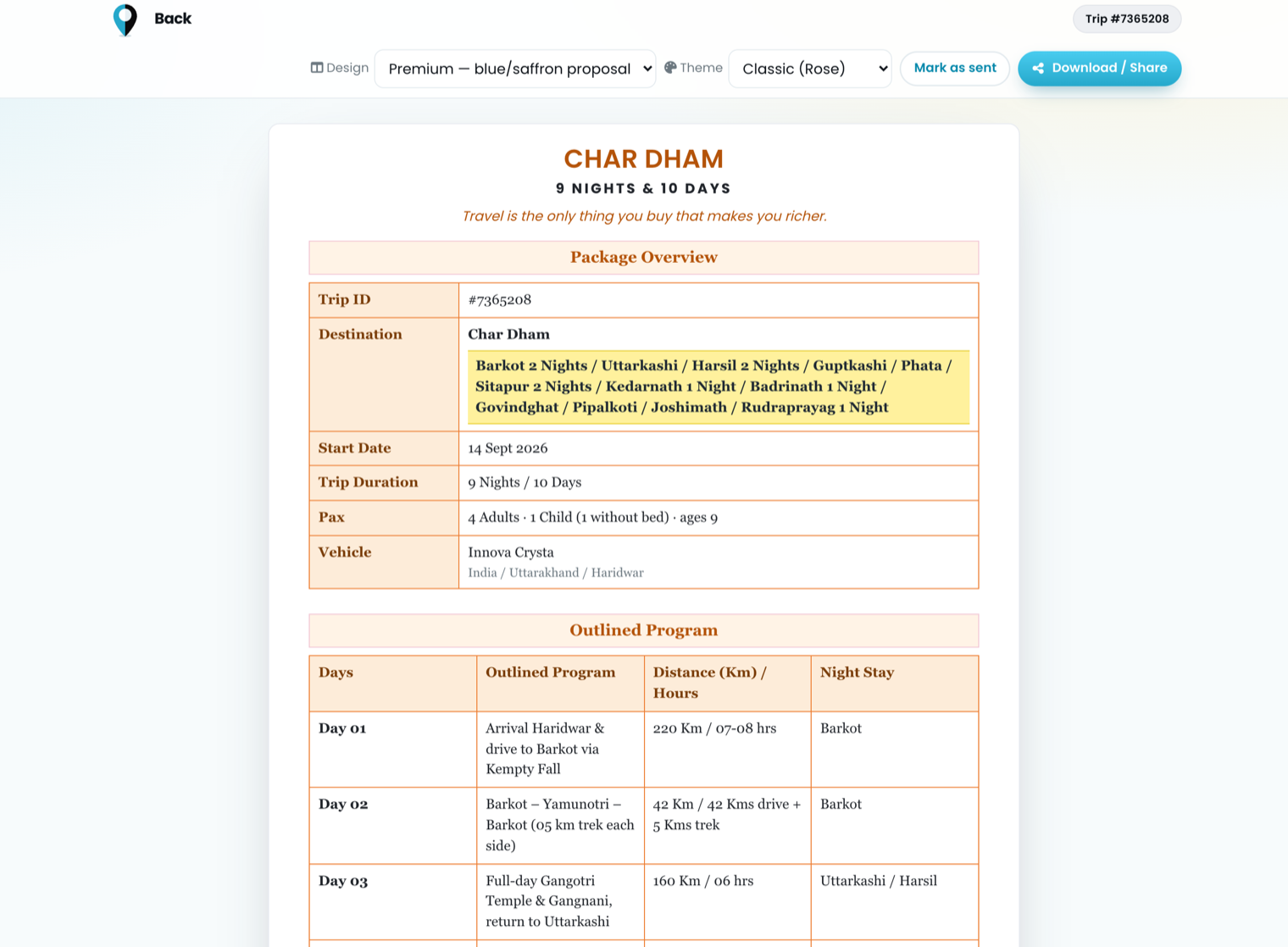
Ask an operator what a hotel costs and you get one number. Ask the same operator to quote a nine-night Char Dham itinerary for four adults and a child, and that one number turns out to be four or five different numbers, depending on which room, which week and which meals.
That gap is where margin quietly goes. This is what a rate sheet has to carry before a quotation built on it can be trusted.
One rate is really a grid
A room rate is the answer to three questions at once, not one:
- Which room category? A Double Room and a Family Room in the same property are two different lines, with their own extra-bed and child rates.
- Which dates? Peak, shoulder and off-season are different rates for the same room, and a long itinerary usually crosses more than one of them.
- Which meal plan? EP (room only), CP (with breakfast) and MAP (breakfast and dinner) are three prices, not one price with a note attached.
That is three dimensions, so the honest way to store it is a grid, not a field:
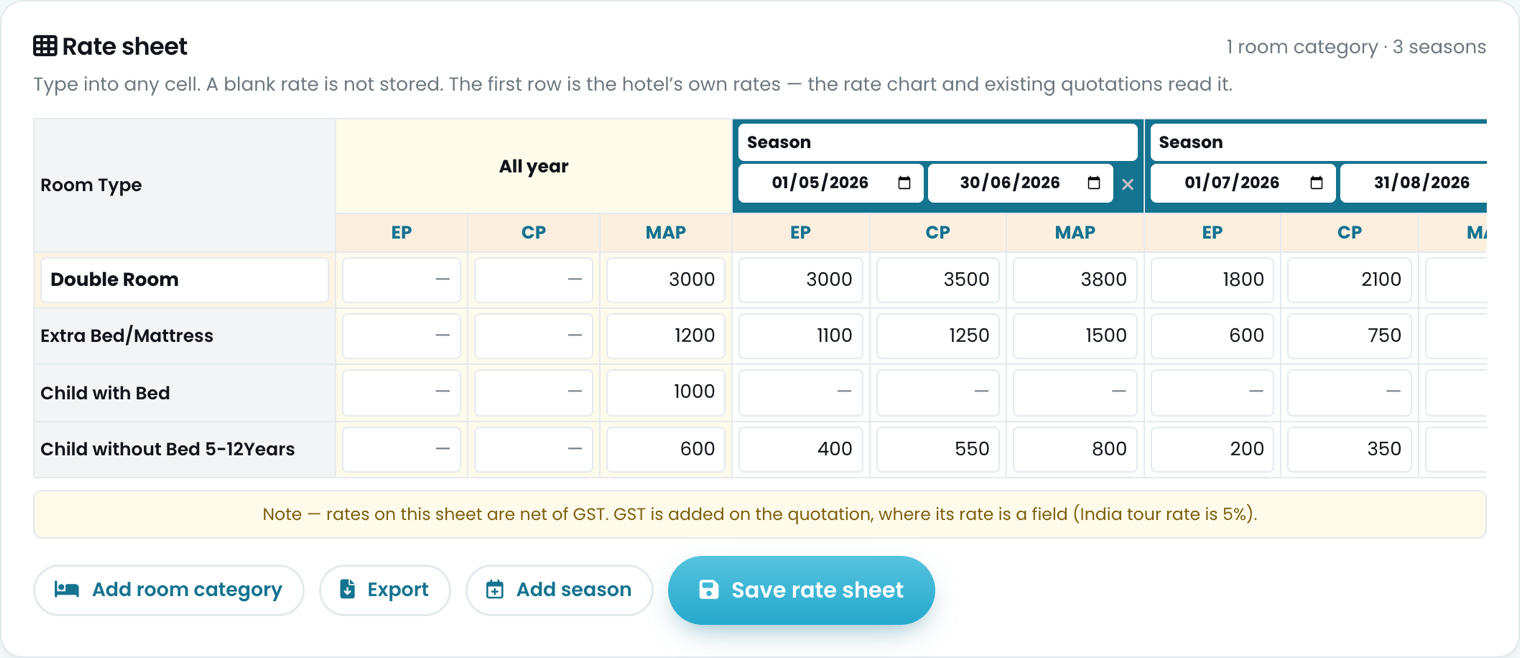
One hotel, one room category, three seasons. Every cell is a real rate; a blank one is stored as unknown, not as zero.
Read one row across. The Double Room is ₹3,000 on MAP all year; from 1 May to 30 June it is ₹3,800 on MAP; from 1 July to 31 August it drops. The extra bed, the child with a bed and the child without a bed each get their own row, because they each move independently — an extra bed is not a fixed percentage of the room, however tempting it is to treat it as one.
Note the line under the grid: these rates are net of GST. Tax belongs on the quotation, where it is a single field applied once, not baked into two hundred hotel rows where nobody can find it again when the rate changes.
A nine-night trip crosses seasons
This is the part a spreadsheet gets wrong most often. If your itinerary starts on 28 June and runs ten days, the first two nights are priced on the summer sheet and the rest on the next one. Pricing the whole trip on the arrival date's rate is a rounding error on a two-night booking and a real loss on a ten-night one.
So the rate lookup takes a date, not a trip. Every stop is asked what it charges on the night the guests are actually there:
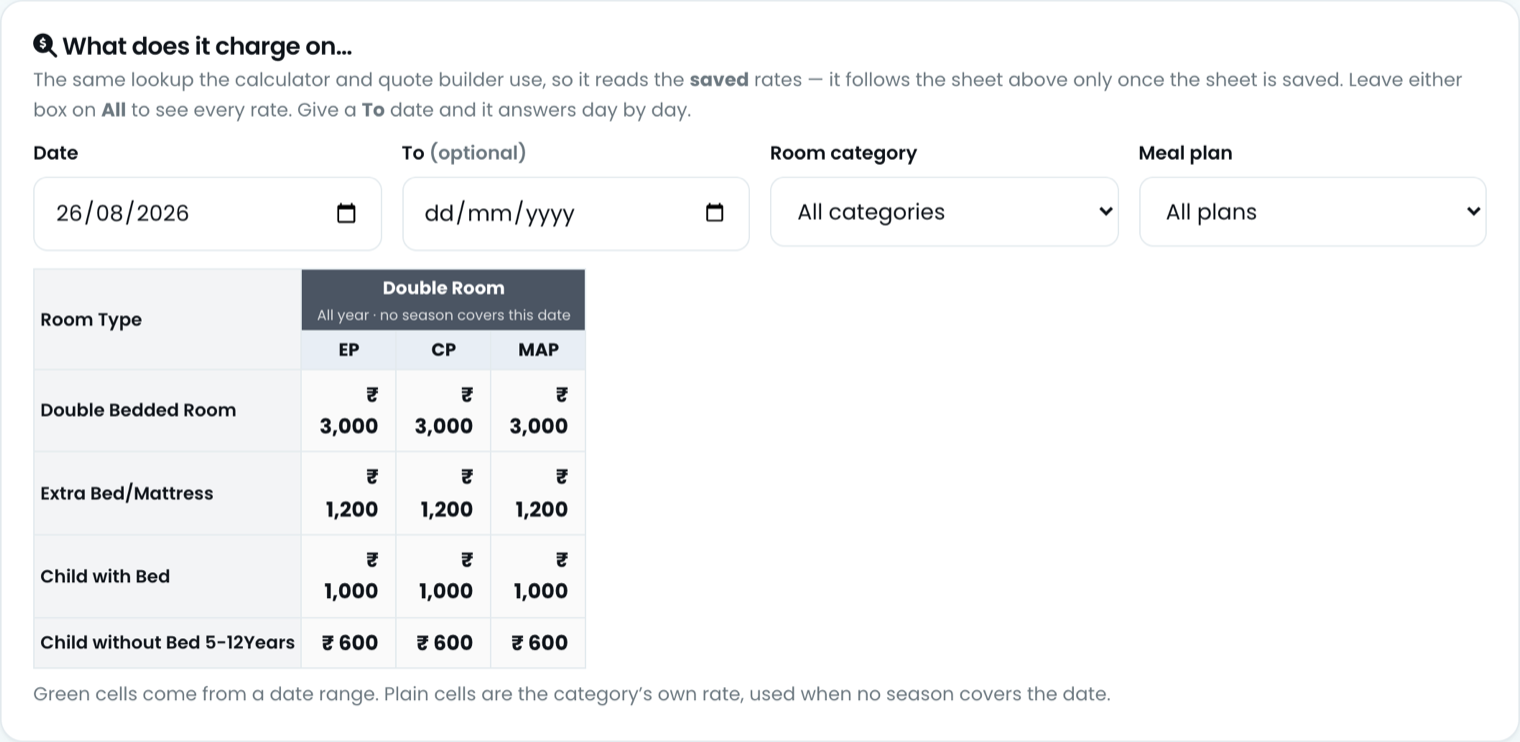
Ask the sheet what it charges on a date, and it tells you which rule answered.
Green cells came from a date range; plain cells are the category's own all-year rate, used when no season covers that date. Being able to see which rule answered is the difference between trusting a number and re-checking it by hand.
A missing rate is not a zero
The most expensive rate is the one nobody entered. If an extra bed has no price and the system treats that blank as ₹0, the quotation goes out complete, looks right, and costs you the extra bed on every room for every night of the trip.
So a blank is treated as unknown, not as free. Build a quote that needs an extra bed from a hotel with no extra-bed rate and it stops, naming the properties:

Three properties without an extra-bed rate. The quote does not save until they have one.
It is a nuisance for about ninety seconds and it is the correct behaviour. The alternative is a number you find out about after the guest has paid.
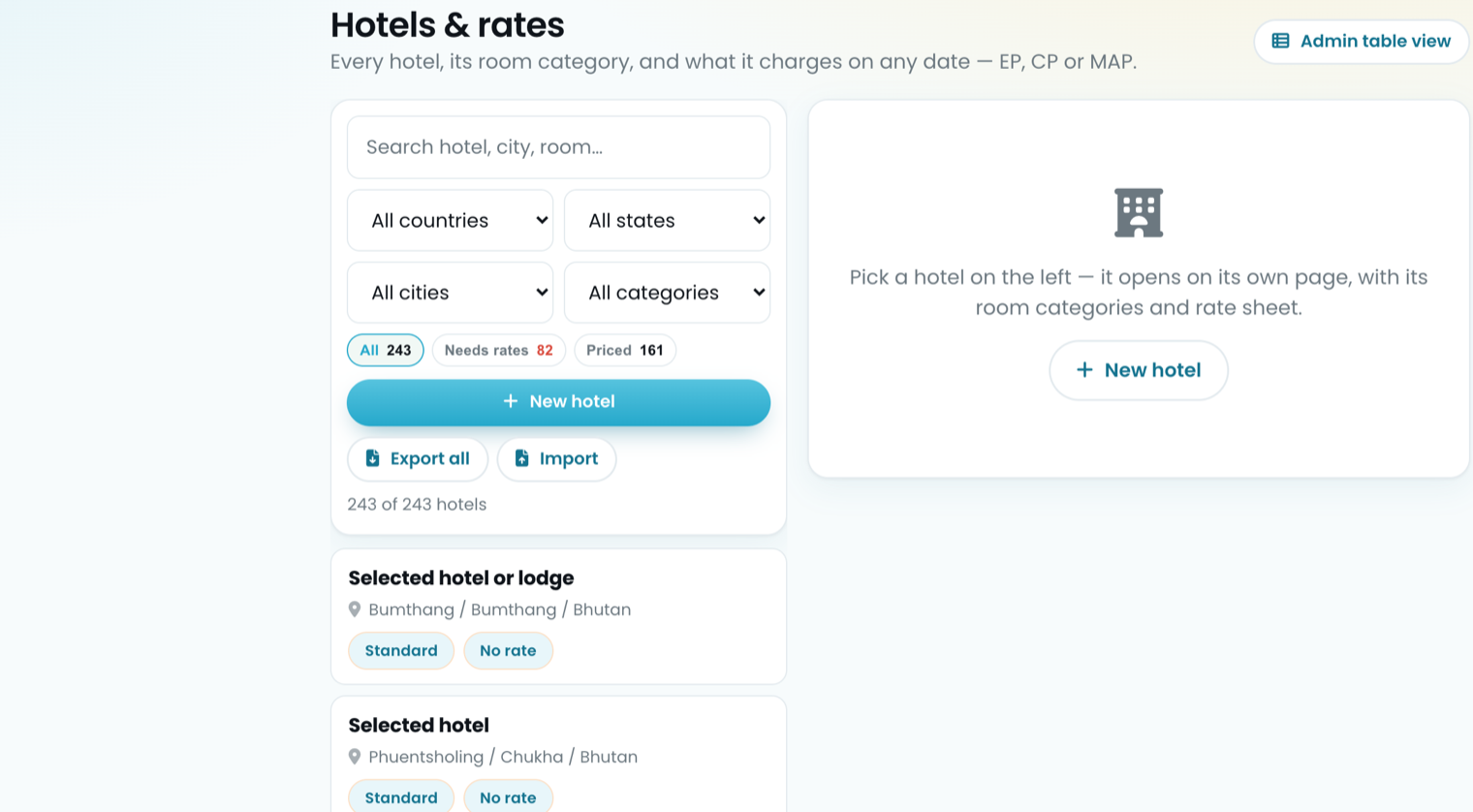
The same logic runs one level up. A hotel with no usable rate is not offered in the quotation builder at all, and the hotel list keeps a running count of how many are still waiting:
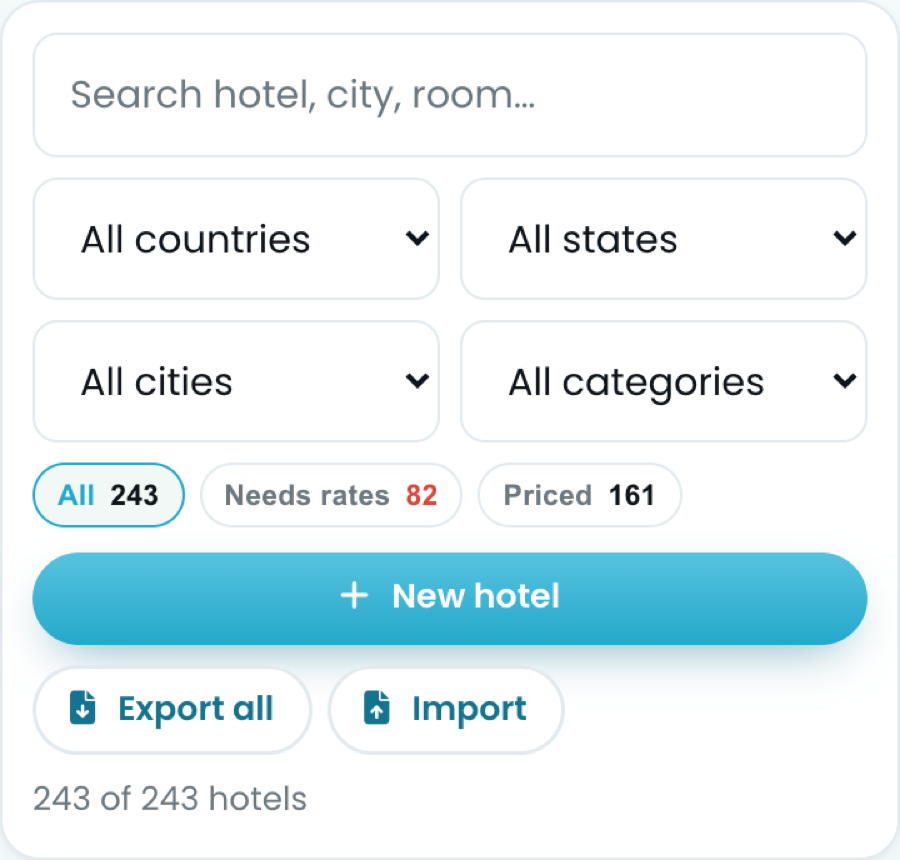
A running count of what is still unpriced, on the same screen where you fix it.
161 priced, 82 still to do. That second figure is a work queue, not an error — but it is a figure you want on screen rather than discovered mid-quotation.
What to do this week
- Take your top twenty properties by volume. For each one, enter every room category you actually sell — not just the cheapest.
- Add the seasons you have contracted, with real start and end dates. If you only have one set of rates, enter it as the all-year row and add seasons when the next contract lands.
- Fill the extra bed, child-with-bed and child-without-bed rows. These are the ones that go missing, and they are the ones that show up on family bookings.
- Enter rates net of tax, consistently. Mixing gross and net rates in one sheet is the single hardest costing bug to find later.
- Work the "needs rates" count down. Every property you clear is one more your team can quote without ringing you.
None of this is glamorous. It is also the entire foundation: a quotation is only ever as good as the sheet it read.
Common questions
What do EP, CP, MAP and AP mean?
EP is room only. CP is room with breakfast. MAP is room with breakfast plus one other meal, usually dinner. AP is room with all meals. They change the rate substantially and can differ night by night within one trip, so a quotation that does not name the plan has not said what the traveller is buying.
Why does the same hotel have several different rates?
Because a rate is a cell in a grid, not a number. Room category, season, meal plan and occupancy each move it, and a hotel with four categories, three seasons and three meal plans has thirty-six legitimate rates before anybody mentions an extra bed.
What are peak, high and low season on a rate sheet?
Date bands the hotel sets itself, and they are not the same from one property to the next even in the same town. The dates are the part most often held in somebody's head rather than written down, and they are exactly what makes a quoted rate right or wrong — a trip that straddles two bands is priced from both.
What should I do when a rate is missing?
Quote the rest and say which line is open. An honest gap keeps the conversation going; an invented figure becomes a commitment the moment the client accepts it, and silence loses the enquiry to whoever answered.
Stop rebuilding the same quotation.
One rate card, one branded document, sent in minutes instead of an afternoon.
See what it does