Every quotation carries three numbers that must never be confused: what the trip costs you, what you are adding, and what the client pays. Get the arithmetic tangled and you either send a document with your margin printed on it, or you send one whose line items do not add up to its own total. Both are bad, and the second is worse, because the client finds it.
Here is the whole model, worked through on a real nine-night quotation.
The worked example
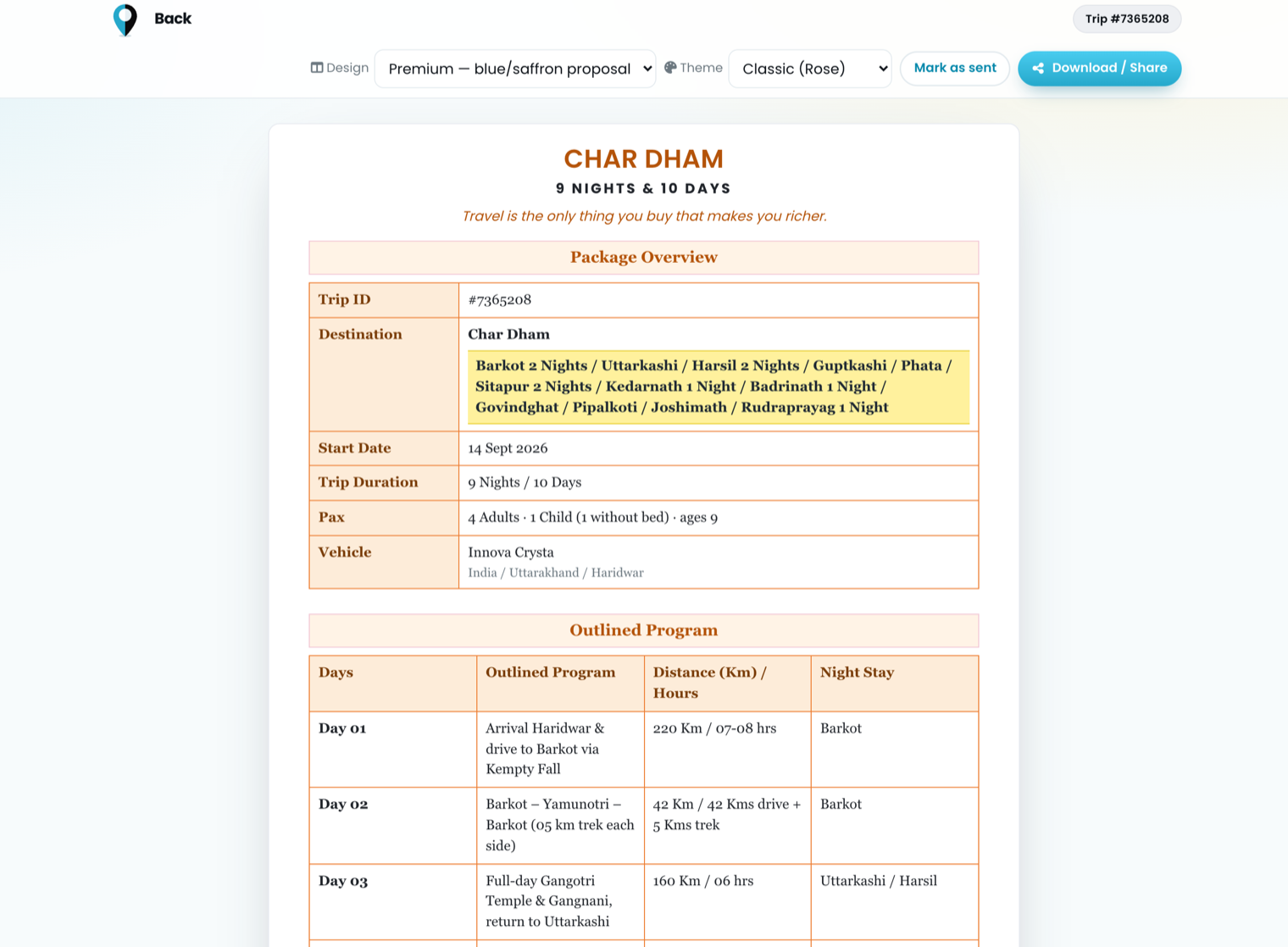
Char Dham ex-Haridwar, 9 nights / 10 days. Four adults and one child without a bed. Deluxe hotels, Innova Crysta, breakfast and dinner included.
1. Your cost
The per-person cost comes out of the rate card and the route — hotels for each stop on each night, plus the vehicle across the whole trip, divided by the party. For this trip:
- Adult cost per person: ₹29,465
- × 4 adults = ₹1,17,860 — the subtotal, and the number that is yours alone
2. Your margin
Markup is a percentage, a flat amount, or both. At 12%:
- ₹1,17,860 × 12% = ₹14,143
3. Occupancy add-ons
Extra beds, children with and without beds, and per-guest meal supplements sit outside the package base, because they depend on the party rather than the itinerary. One child without a bed here:
- Child without bed × 1 = ₹3,300
4. The total
cost      1,17,860
markup   +   14,143
add-ons  +    3,300
──────────────────────
total     1,35,303
And this is the panel where all of it is set and shown at once:
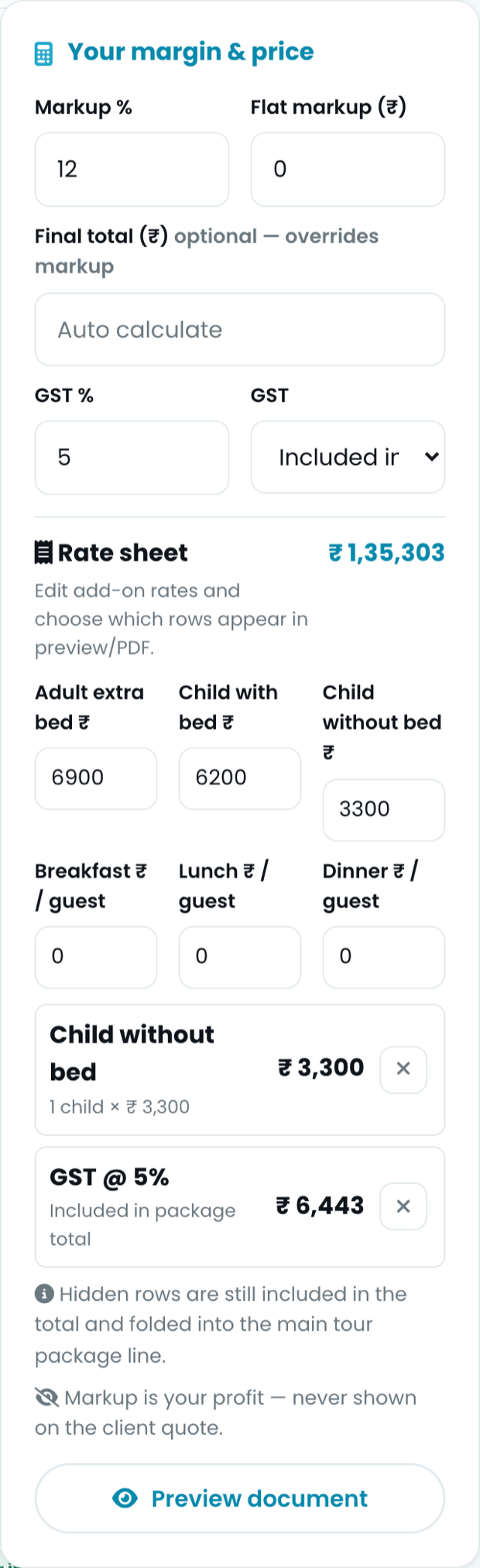
Markup, GST and the add-on lines, with a running total. Everything that decides the price, in one column.
Two lines on that panel are the ones worth arguing about, so read them carefully.
"Markup is your profit — never shown on the client quote"
Not hidden behind a toggle you might leave on by mistake. There is no line item for it, and there is no mode that prints one. It is absorbed into the price of what it is a margin on.
Which means the per-person figure the client sees is not your cost per person:
- Your cost per person: ₹29,465
- Client's per-person price: ₹33,001
Same trip, two numbers, and only one of them leaves the building.
"Hidden rows are still included in the total"
This is the subtle one. You can hide an add-on line from the client document — a supplement you would rather present as part of the package than as a surcharge. What you cannot do is hide it from the arithmetic.
Hide a row and its amount is folded into the main package line, so the visible lines still sum to the total. A quotation whose lines add up to less than its own total is a quotation the client gets to argue with, and they will be right.
GST: included or on top, and say which
Two honest ways to present tax, and one dishonest one.
- Included — the total is the total. Tax is shown for information: on ₹1,35,303 at 5%, that is ₹6,443 already inside the figure. The client pays what the document says.
- On top — tax is its own line and the client pays the total plus tax. Fine, as long as the document is unmistakable about it.
- Unstated — the one that ends in a phone call on the day of payment.
Pick one per quotation and let the document print which it is.
The margin you keep is not the markup you set
Here is the part that surprises people, and it is on screen the whole time you are building:
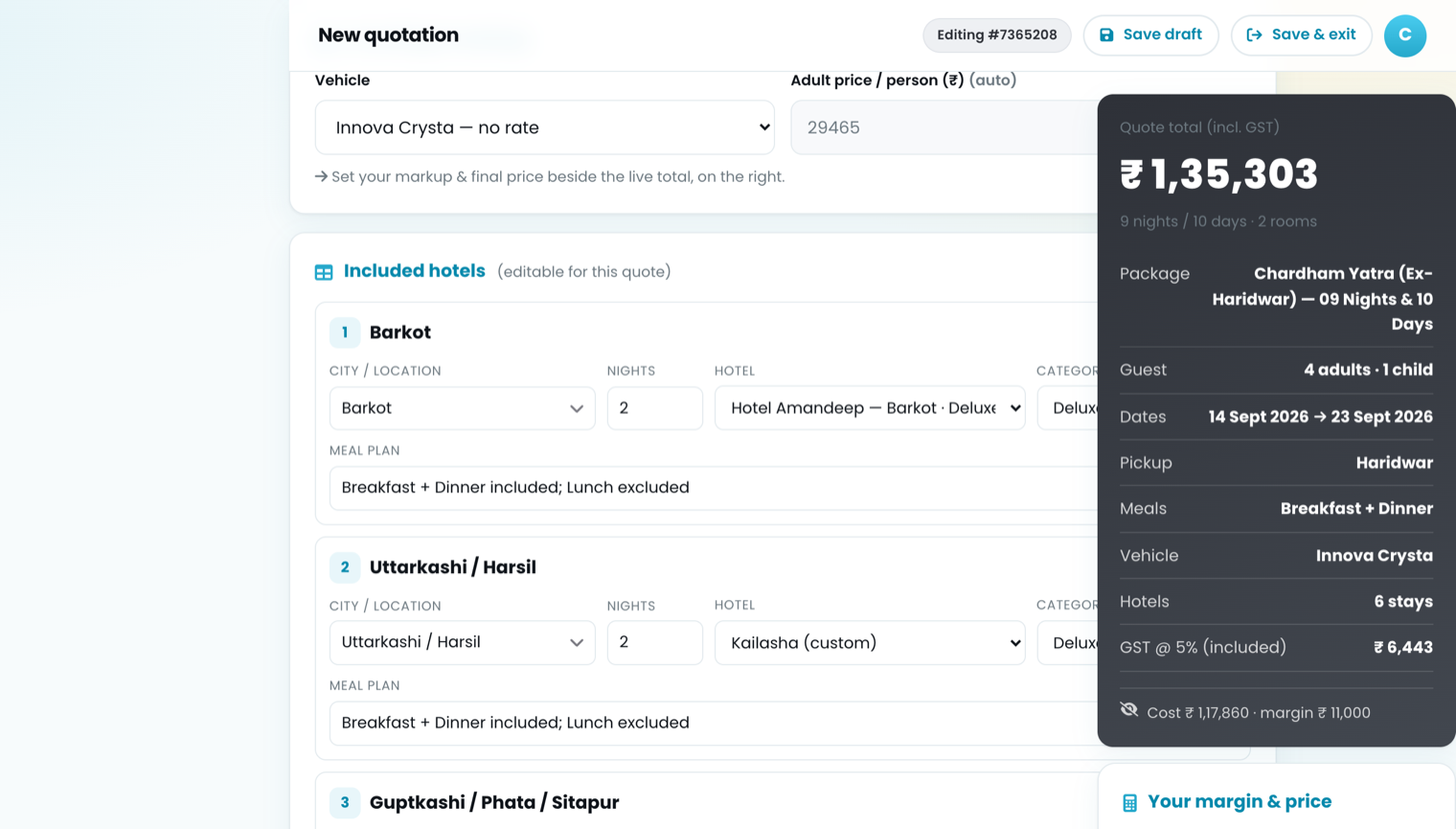
The live total, and behind the eye-slash: what the trip costs you and what you keep after tax.
Read the bottom line of that panel: cost ₹1,17,860 · margin ₹11,000. But the markup was 12%, which is ₹14,143. Where did ₹3,143 go?
To the tax, because GST is included here. Of the ₹1,35,303 the client pays, ₹6,443 is tax you collect and remit. What is actually left over your cost is:
client pays        1,35,303
GST inside it     −    6,443
──────────────────────────────
net of tax         1,28,860
your cost         − 1,17,860
──────────────────────────────
retained margin       11,000
So a 12% markup with tax inside the price retains about 9.3% on cost. That is not a bug and it is not a reason to stop quoting GST-inclusive — Indian leisure clients expect one number. It is a reason to set the markup knowing what it nets, rather than being surprised at the end of the quarter.
If you quote GST on top instead, the ₹14,143 stays ₹14,143 and the client pays ₹1,41,746. Same margin, different conversation. Choose deliberately.
What the client actually receives
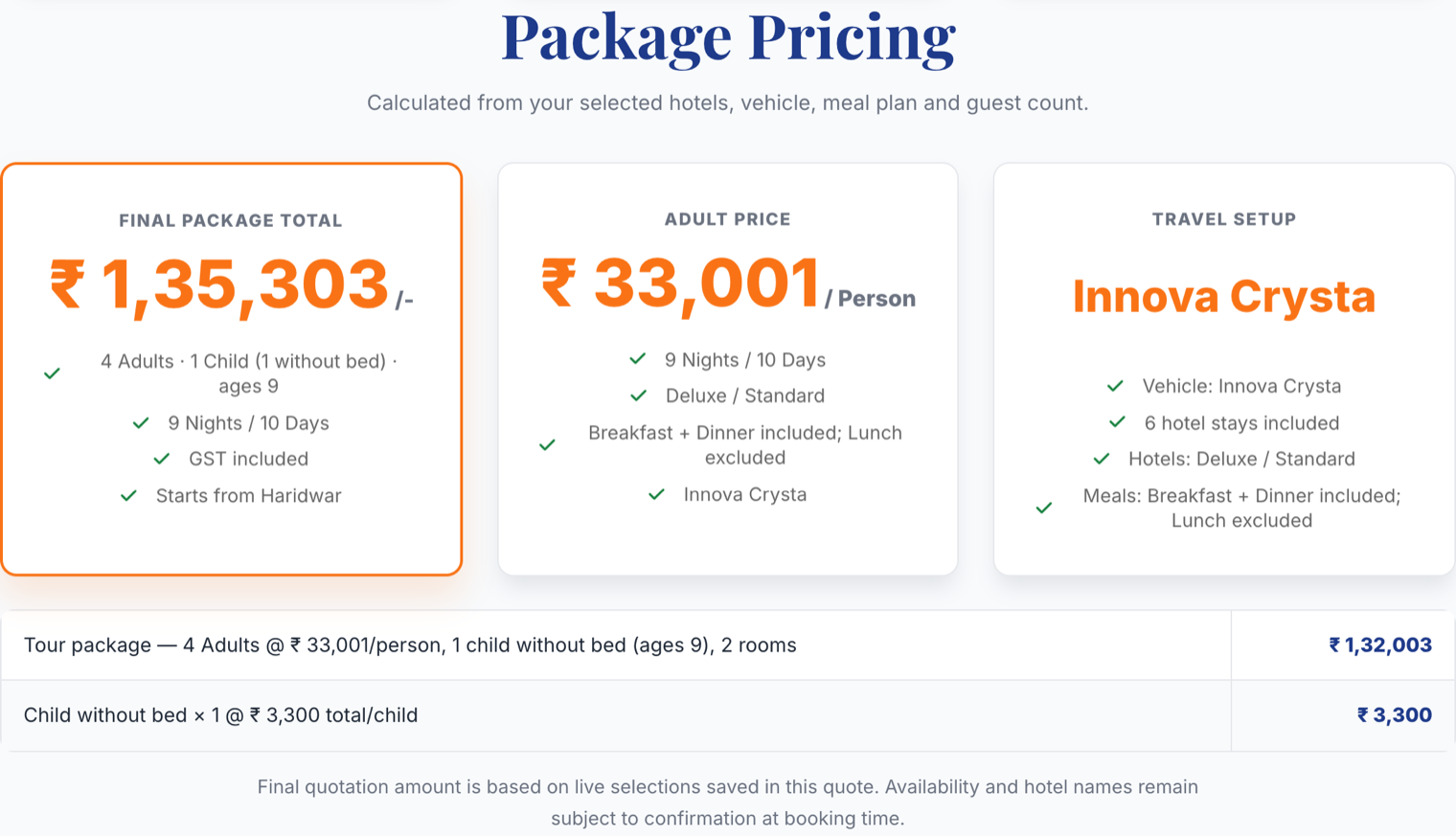
What the client receives. The lines add up to the total, and the margin is not one of them.
Trace it. The tour package line is ₹1,32,003, the child without bed is ₹3,300, and they sum to ₹1,35,303 — the total in the box. The ₹14,143 of margin is inside that first line, which is exactly why the per-person price reads ₹33,001 and not ₹29,465. "GST included" is stated on the face of it.
Nothing is concealed from the client except the one thing that is none of their business, and every number they can see is a number they can check.
Three habits worth keeping
- Set a default markup once, on your profile, so every new quotation starts with your margin already in it. Margin you have to remember to add is margin you will eventually forget.
- Use the final-total override sparingly. Rounding ₹1,35,303 to ₹1,35,000 for a good client is fine. Typing a total that has no relationship to the cost underneath it means you no longer know what that trip earns.
- Keep rates net of tax everywhere below the quotation. Tax applied once, at the top, is tax you can change in one place when the rate changes.
Stop rebuilding the same quotation.
One rate card, one branded document, sent in minutes instead of an afternoon.
See what it does