New in travee+, November 2026.
You send a travel quotation on WhatsApp, and then nothing. Did the client open it? Are they comparing it with two other tour operators? Did they want a different hotel and not bother to say? Most travel quotation software stops at "sent", so the only way to find out was to call and ask, usually at the wrong moment.
Three changes answer those questions for you. Quotation tracking tells you when the client opens the quote. The client can request changes from the quotation link itself. And the automatic follow-up knows the difference between a client who went quiet and one who already replied.
1. Quotation tracking: see when your client opens the quote
Every time the client opens the quotation link, travee+ counts it. Your own previews are not counted, so the number is the client and nobody else.
- Send the quotation as usual: Download / share → Email quote or Send on WhatsApp. Both send the client link (the four ways to send one are in One quotation, four ways to send it).
- Watch the line under the status on the Dashboard and on Quotations:
- Not opened yet — sent, but the client has not looked.
- Opened 3× · 2h ago — how often, and how recently.
- Changes asked — the client wrote back from the link.
- The first open also rings your bell. That is the best moment to call: the trip is on their screen.
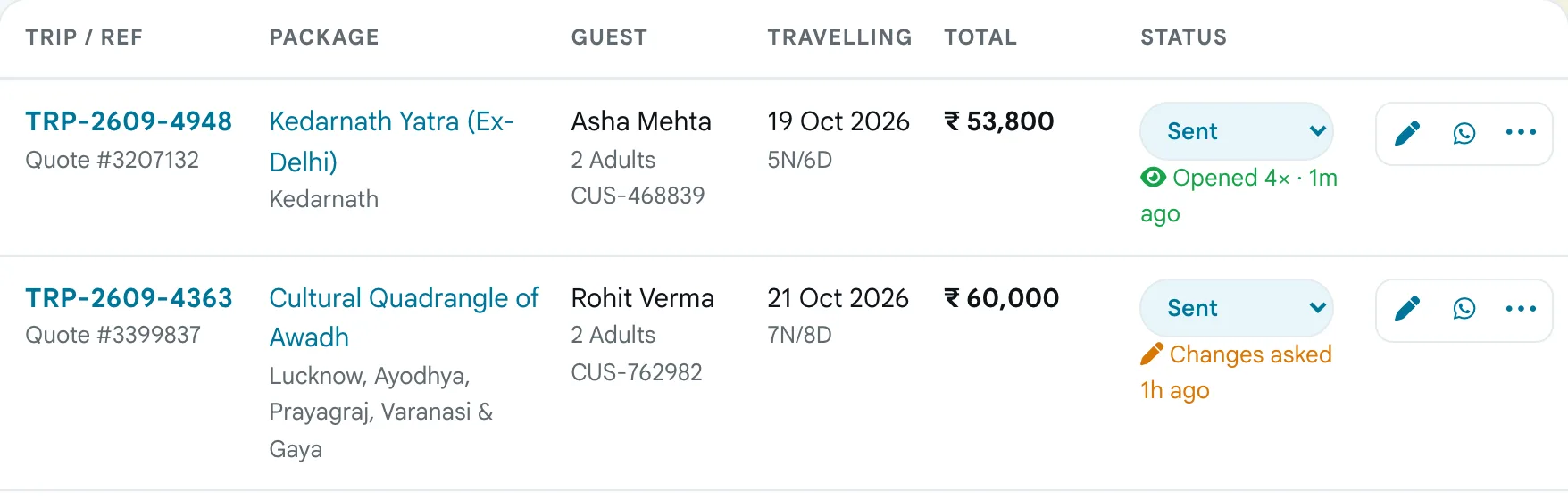
The quotations list: opened, not opened, or changes asked, under each status.
A client opening the same quotation four times in a day is comparing. One who has not opened it in three days needs a different message, or a different channel. A PDF the client downloads or forwards cannot be counted; only the link can, which is one more reason to send the link rather than an attachment.
2. Let the client request changes from the quotation link
Beside Accept this quotation, the client now sees Request changes. They write what they want (a 4-star hotel, one more night, a smaller budget) and press Send to agent. No login and no app on their side.
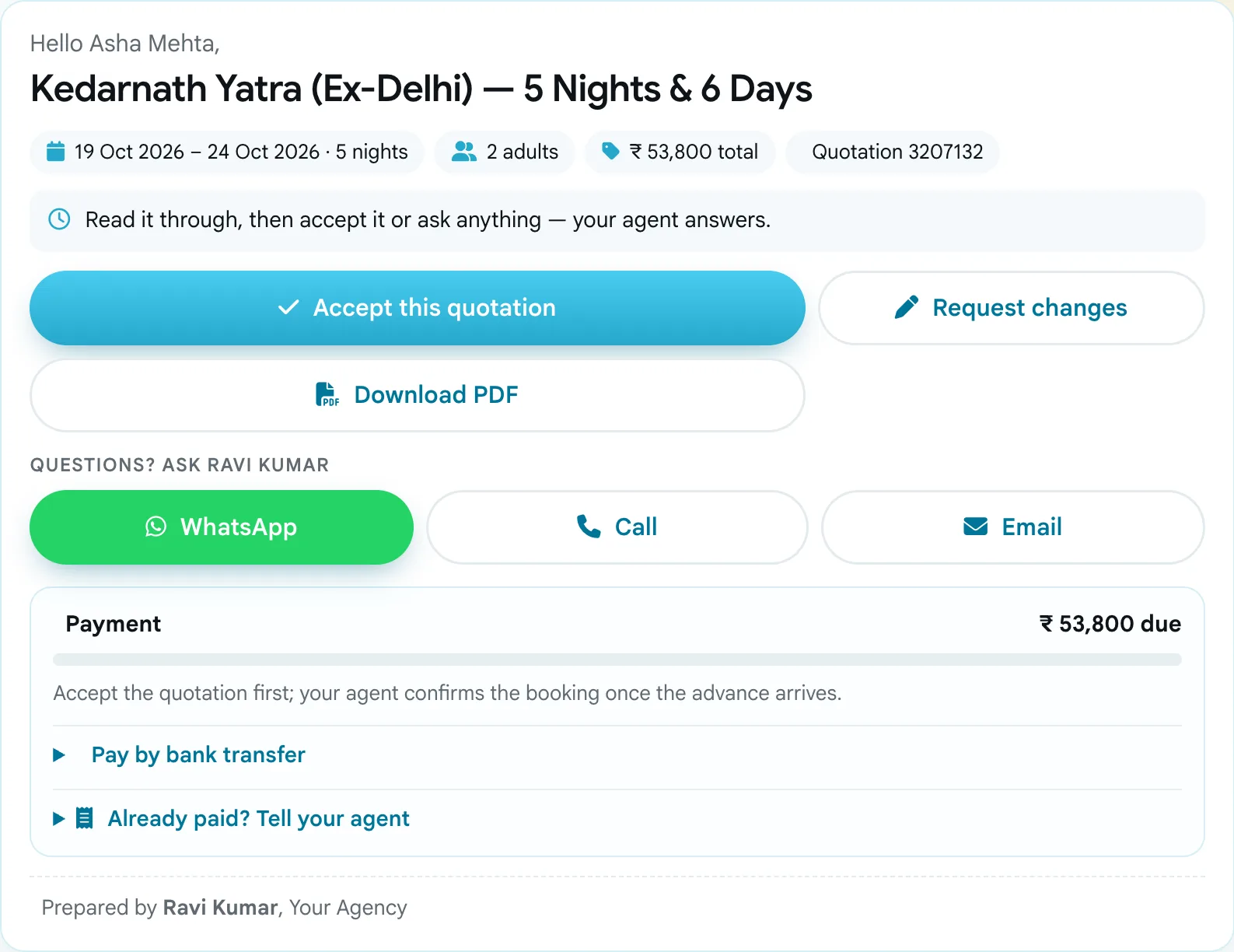
What the client sees: accept the quote, or ask for changes.
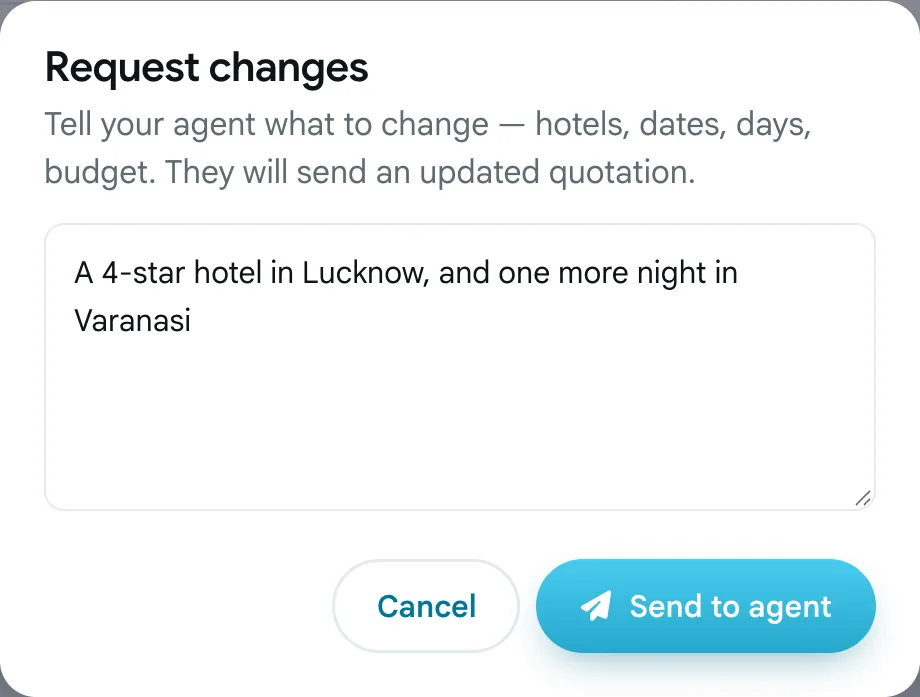
The request goes to the agent in writing, not as a voice note.
On your side:
- You get an email and a bell notification with their words.
- The row on Quotations shows Changes asked.
- Open the quotation: the request sits at the top, above the document.
- Edit it, save, and send it again. Saving clears the note.

The request waits at the top of the quotation until you save the update.
The client sees “You asked for changes” on their link until your update lands. A confirmed or cancelled quotation cannot be changed from the link; the client is asked to message you instead.
3. Follow up a travel quote automatically, and stop when the client answers
Company owners and desk admins can follow up unanswered quotations without anyone remembering to. Each automation acts once per quotation, so a reminder series is simply three rules.
- Open Automations → New automation.
- When: A quotation sent N days ago has no answer, and set 2 days.
- Then: Email the client or WhatsApp template to the client. Placeholders such as
{first_name}and{trip}are filled in per client. - Tick On and save. Press Preview to see who it would reach today.
- Add the same rule at 5 and 12 days, or choose Task so the agent calls instead.
A client who pressed Request changes has answered, so the rules wait. Once the agent saves the updated quotation, the clock starts again. Accepted and cancelled quotations are never chased. Quoting on WhatsApp has its own habits here; see Quoting on WhatsApp without losing the thread.
Why a tour operator should track quotations
Most quotations are not lost to a better price. They are lost to silence: a question nobody asked, a reminder nobody sent. Knowing who opened what, getting change requests in writing, and letting follow-ups run by themselves closes most of that gap, and it is the part of a travel CRM that pays for itself first (more on that choice in Travel CRM or quotation builder). The Help page and the Guide button on each screen walk through all three.
Stop rebuilding the same quotation.
One rate card, one branded document, sent in minutes instead of an afternoon.
See what it does